What Size UPS Do You Need for a 750W Power Supply?
Find the right UPS size for a 750W PSU. Compare 1000VA, 1500VA and 2000VA options, watt ratings, sine wave types and Sri Lanka buying tips.
6 min read
If your PC has a 750W power supply, you do not automatically need a 750W UPS.
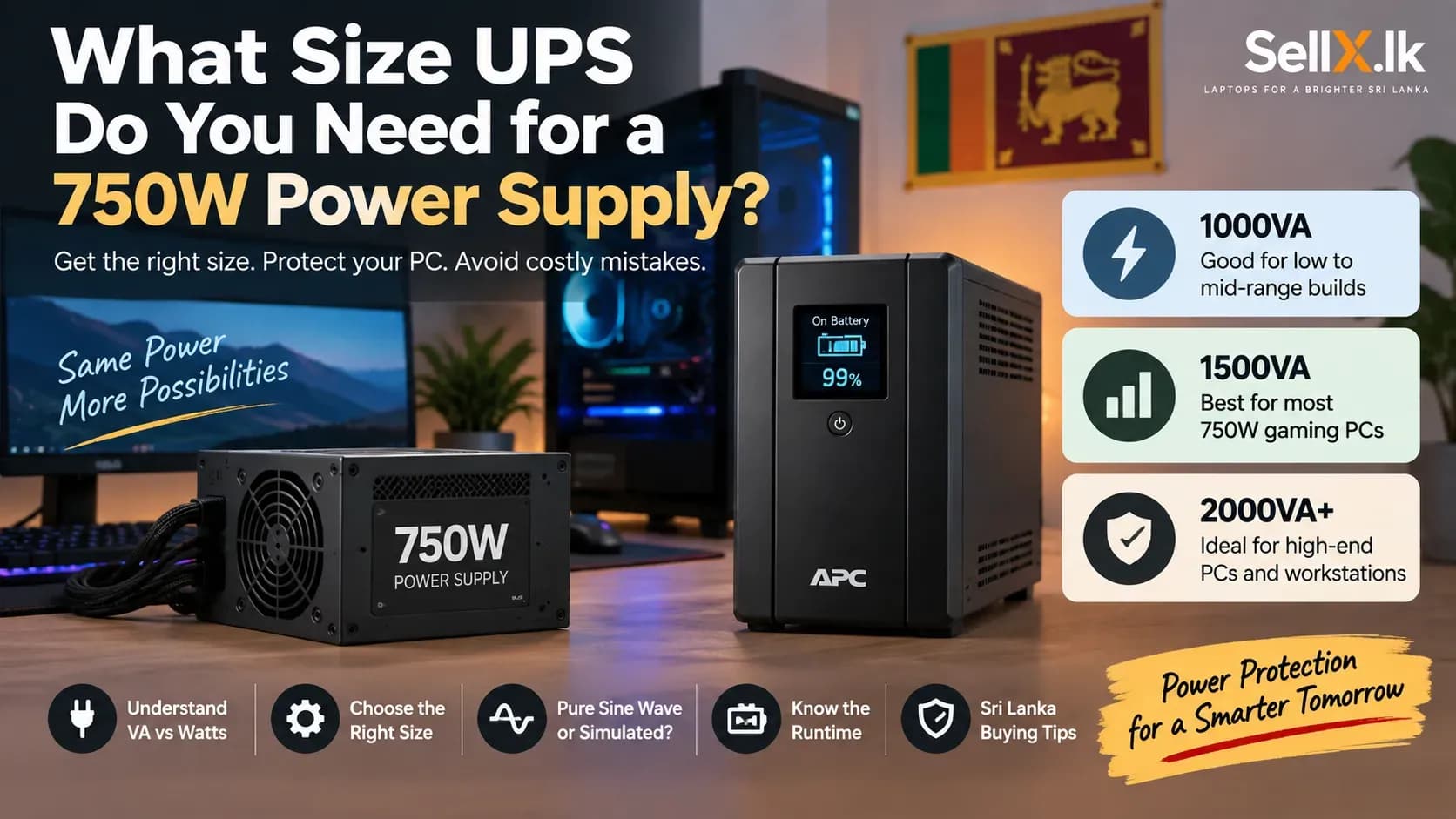
For most gaming PCs with a 750W PSU, a 1500VA UPS rated around 900W to 1000W is the safest all-round choice. A smaller 1000VA or 1200VA UPS may still work if your actual PC power use is low, while a 2000VA model makes more sense for high-end gaming PCs and workstations.
The key is simple:
Choose the UPS based on how much power your PC actually uses, not the wattage printed on the PSU.
This matters even more in Sri Lanka, where power interruptions, voltage changes and expensive replacement batteries can turn a poor UPS choice into an unnecessary cost.
1. Why a 750W PSU Does Not Mean You Need a 750W UPS
A 750W power supply does not constantly use 750W.
The 750W rating tells you how much power the PSU is designed to supply at its maximum capacity. Your actual PC may use much less.
For example, a gaming PC with:
- Ryzen 5 or Core i5
- RTX 4060 or RTX 5060
- 16GB RAM
- one SSD
may consume only around 250W to 350W during normal gaming, depending on the exact parts.
Even a stronger RTX 4070-class system may often stay around 350W to 450W under gaming load. That means your PC could have a 750W PSU while using only half of that capacity most of the time.
Local Truth: Your 750W PSU may be powering a PC that only uses around 350W while gaming.
The best way to know your real power use is to measure it using a wall power meter. If you cannot do that, use reliable power-consumption data for your CPU and GPU and estimate conservatively.
Before buying a UPS, always think about the real load, not just the PSU sticker.
2. VA vs Watts: The Number You Should Actually Check
This is where many buyers in Sri Lanka get confused.
UPS boxes often advertise a large number such as:
- 1000VA
- 1200VA
- 1500VA
- 2000VA
But VA is not the same as watts.
A UPS might be:
- 1000VA / 600W
- 1200VA / 720W
- 1500VA / 900W
- 2000VA / 1200W
So a 1500VA UPS does not automatically provide 1500W.
The simple relationship is:
Watts = VA × power factor
You do not need to calculate this every time. The manufacturer normally gives both ratings.
What matters is this:
Always check the watt rating before buying.
Two UPS units with the same 1500VA label may have different watt capacities.
Avoid this mistake: Do not buy a 1500VA UPS assuming it can provide 1500W.
In Sri Lanka, many budget UPS models are sold mainly by VA rating. Always ask for the actual watt rating before paying.
3. What UPS Size Is Best for a 750W Gaming PC?
There is no single correct UPS for every 750W PSU system.
The right size depends on your actual hardware.
Estimated Total Load | Suggested UPS |
Under 300W | 750VA to 1000VA |
300W to 400W | 1000VA to 1200VA |
400W to 500W | 1200VA to 1500VA |
500W to 650W | 1500VA to 2000VA |
Above 650W | 2000VA+ |
A 1000VA / 600W UPS can work for an efficient mid-range gaming PC. This can include builds using an RTX 4060 or similar GPU with one monitor.
The problem is headroom.
If your system suddenly pulls more power, or if you upgrade the GPU later, a 600W UPS can become too close to its limit.
A 1200VA / 720W UPS gives you more breathing room and is common in the Sri Lankan market.
For most 750W PSU gaming PCs, however, we would start with:
1500VA / 900W to 1000W
This gives you enough capacity for:
- gaming load
- monitor
- router or ONT
- short power spikes
- battery ageing
- future upgrades
A 2000VA / 1200W UPS is better if you have:
- a high-end CPU
- RTX 5070 Ti-class GPU or similar
- two monitors
- a workstation
- future GPU upgrade plans
Do not buy 2000VA just because your PSU says 750W. Buy it because your real load and future plans justify it.
4. Pure Sine Wave, AVR and UPS Type: What Matters in Sri Lanka?

Modern gaming PSUs often use Active PFC.
You do not need to understand the electronics behind it, but it matters when choosing a UPS. Cheaper UPS units often produce a simulated or stepped sine wave when running on battery.
Better models can produce a pure sine wave, which is closer to normal mains electricity. Some modern PSUs work fine with good simulated-sine UPS units. Others may buzz, behave strangely or shut down when the UPS switches to battery.
Because of that, a pure-sine-wave UPS is the safer choice for an expensive gaming PC.
That does not mean every simulated-sine UPS is bad. It means compatibility can vary.
For a modern gaming PC, the ideal setup is:
Line-interactive UPS + AVR + pure sine wave
Line-interactive UPS units are usually the best balance for Sri Lankan home users.
AVR, or Automatic Voltage Regulation, can correct some voltage changes without using the battery every time. That is useful if your area occasionally experiences low or high voltage.
An online double-conversion UPS gives even better power protection, but it costs much more and is usually unnecessary for normal gaming PCs.
It makes more sense for:
- business-critical PCs
- servers
- expensive professional workstations
- systems where even a short interruption is unacceptable
If you're building a gaming PC: Spend enough on the UPS to protect the system properly. Spending hundreds of thousands of rupees on a GPU and then using the cheapest possible UPS is not a good balance.
5. How Much Runtime Should You Expect?
A UPS is not usually designed to let you continue gaming for an hour during a power cut.
Its main job is to give you enough time to:
- save your work
- close applications
- shut down the PC safely
At heavy load, even a large 1500VA or 2000VA UPS may provide only a few minutes of runtime. At lower load, runtime improves significantly.
For example, if you are browsing the web when the power goes out, the PC may be using much less power than during gaming. That means the same UPS could last noticeably longer. This is why you should separate two different goals.
If you only need safe shutdown
A normal line-interactive UPS is enough.
If you want to work for hours during a power cut
Look at:
- inverter and battery systems
- solar battery storage
- portable power stations
A larger desktop UPS alone is usually not the best solution. Battery condition also matters in Sri Lanka.
Heat speeds up battery ageing, so avoid keeping your UPS inside a closed desk with poor airflow. UPS batteries are consumable parts. Before buying, check whether replacement batteries are easy to find locally and how much they cost.
6. The Simple UPS Buying Rule for a 750W PSU
You can size your UPS with a simple four-step method.
Step 1: Estimate your real PC power use
Let us say your PC uses:
450W
Step 2: Add your monitor and important devices
Example:
- PC: 450W
- Monitor: 40W
- Router/ONT: 15W
Total:
505W
Step 3: Add around 20% to 25% headroom
505W × 1.25 = around 630W
Step 4: Choose a UPS comfortably above that load
A 600W UPS would now be too close to the limit.
A 720W UPS may work.
A 900W UPS gives you much better headroom.
That is why a 1500VA UPS rated around 900W to 1000W is such a practical choice for many gaming PCs with 750W PSUs.
Before buying, check:
- UPS watt rating
- VA rating
- pure or simulated sine wave
- AVR support
- actual runtime
- battery replacement availability
- warranty
- number of battery-backed sockets
- local replacement battery price
Do not connect unnecessary high-power devices such as printers or heaters to the UPS.
Final Recommendation
For most PCs with a 750W power supply, a 1500VA UPS rated around 900W to 1000W is the safest general recommendation.
A 1000VA / 600W or 1200VA / 720W UPS can still work if your PC uses much less power and you confirm the total load.
A 2000VA / 1200W UPS makes more sense for high-end gaming PCs, workstations, multiple displays or future upgrades.
The most important thing is not the 750W number printed on your PSU.
Measure or estimate your real PC load, add your monitor and other important devices, then leave enough spare capacity.
If you are still planning your full setup, compare your options using our Laptop Prices in Sri Lanka and PC-buying guides before spending more than you need.