 Laptops
  Gaming Laptops
  Desktop
  Laptop & Desktop Accessories
  Workstation & Gaming
  Used PC, Laptop & Accessories
  CCTV & Accessories
  Printers / Scanners / POS and Accessories
  Mobile Phones / Tablets and Accessories
  Softwares
  Home & Kitchen Appliances
  Gift Voucher
  Smart Devices & Gadgets
  Office & Meeting Solutions
  Networking & Power Devices
  Graphic Tablets & Drawing Displays
  Monitors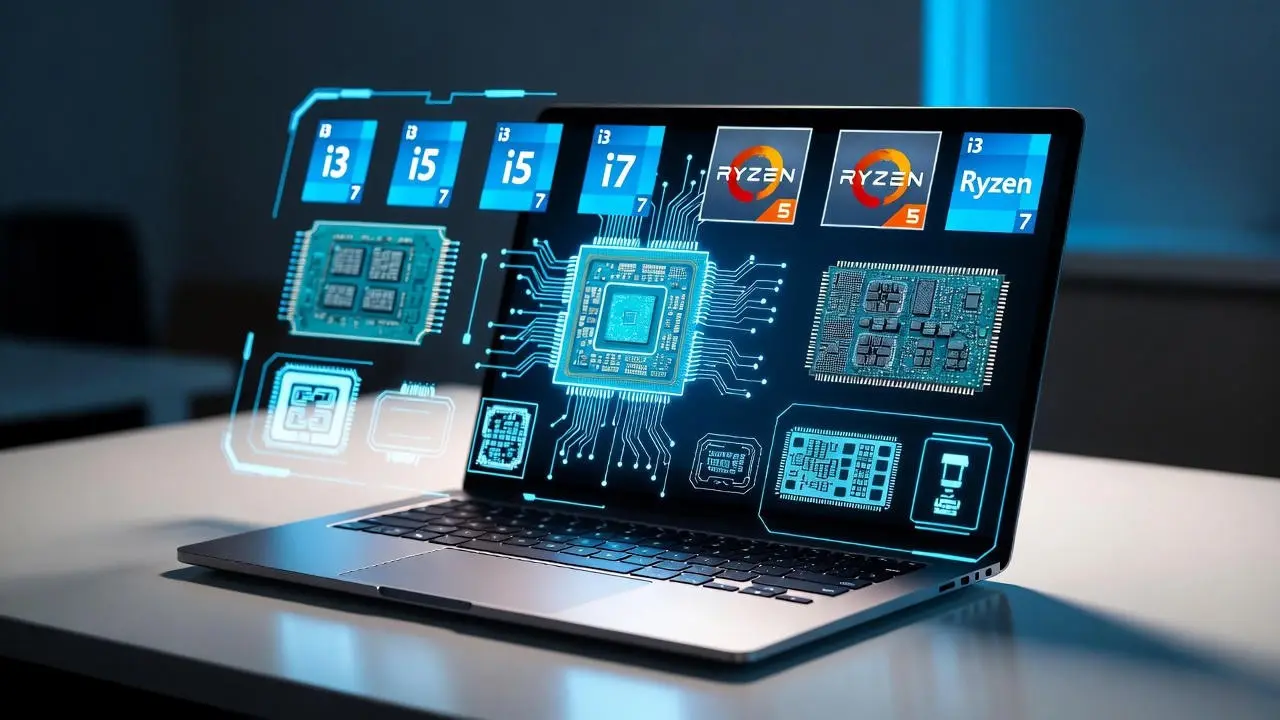
Laptop Processor Guide for Sri Lankan Buyers: i3, i5, i7 & Ryzen Explained Simply
Buying a laptop in Sri Lanka is stressful for most people. Prices keep changing with the dollar rate, shops push confusing specs, and many “brand new” models in the market are actually old stock or grey imports. One of the biggest confusions is the processor, those i3, i5, i7 and Ryzen numbers that everyone talks about, but nobody explains clearly.
This guide breaks it down in simple words, using real Sri Lankan examples. No jargon, no unnecessary details, just honest advice to help you avoid slow laptops, overheating issues, and overpriced models. Think of this as a trusted tech friend explaining things without trying to sell you anything.
What Does a Laptop Processor Actually Do? (Explained Simply)
The processor (CPU) is the part of the laptop that keeps everything running smoothly. When you open Chrome, join a Zoom class, run Python code, or edit a photo, the processor handles the workload. If it’s weak or outdated, the laptop will feel slow from day one, a common complaint from Sri Lankan students who accidentally buy older models.
Local Truth: In Sri Lanka, even basic work feels heavy because many people run Zoom, WhatsApp Web, Google Docs, and several Chrome tabs at the same time. A weak processor will struggle quickly.
Cores and Threads (The Simple Way to Understand Them)
Think of cores like individual workers in a kitchen.
More workers = more tasks at once.
Basic processors (i3 / Ryzen 3) usually have 4–6 cores
Mid-range processors (i5 / Ryzen 5) have 6–10 cores
High-end processors (i7 / Ryzen 7) have 8–14 cores
Threads are like helpers for those workers. They don’t replace real workers, but they make tasks finish faster. This matters when you multitask, like using Zoom + Word + 10 Chrome tabs.
Sri Lankan Example: If you’re a university student using Zoom during power cuts while multiple tabs are open, more cores/threads keep the laptop from freezing.
Clock Speed & Turbo Boost (Why Your Laptop Feels Fast or Slow)
Clock speed (measured in GHz) tells you how fast each core works.
Higher numbers = faster responses.
Your laptop may say something like 3.3GHz → 4.5GHz Turbo.
That means it can temporarily boost performance for heavy tasks, but this depends heavily on cooling.
Local Truth: Laptops in Sri Lanka heat up quickly due to the climate. A processor that “looks fast” on paper may slow down after a few minutes because the laptop can’t keep it cool. This is common with low-quality grey imports.
Cache Memory (Why Some Laptops Feel Instantly Responsive)
Cache is a small, super-fast memory inside the processor. Bigger cache means smoother multitasking and fewer micro-lags.
i3 / Ryzen 3 → 8–12MB
i5 / Ryzen 5 → 12–20MB
i7 / Ryzen 7 → 20–32MB
It’s not a spec you need to memorise, but it explains why mid-range laptops feel “snappier” even while doing the same tasks.

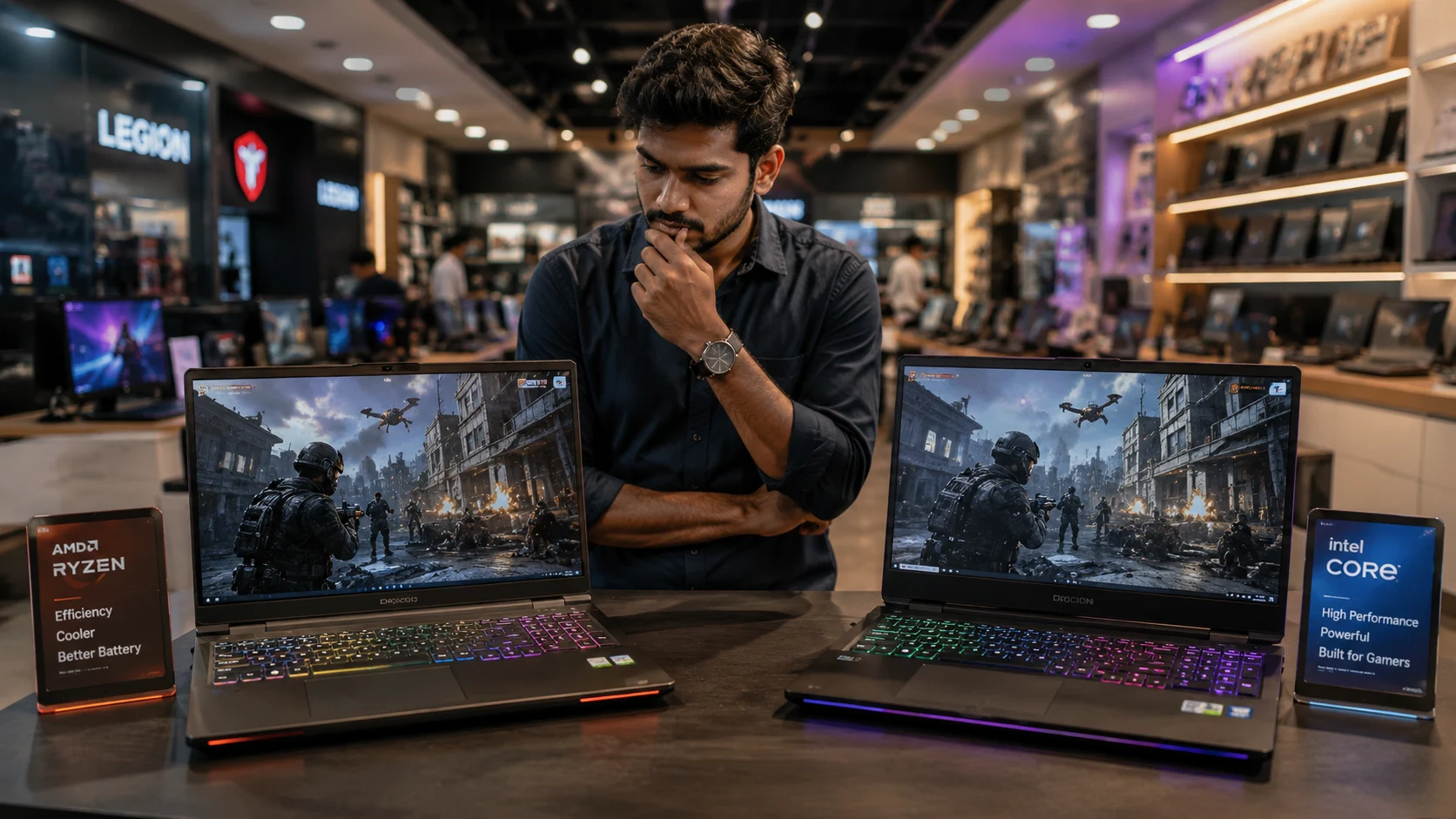
U-Series vs H-Series (The Most Misleading Spec in Sri Lanka)
If you’ve seen processor names like i5-1235U or Ryzen 5 5600H, the last letter matters more than most people realise.
U-Series:
Focus on battery life
Cooler
Good for office work and study
Not made for heavy work or gaming
H-Series:
More power
Runs hotter
Great for coding, editing, or gaming
Drains battery faster
Sri Lankan Warning: Many shops label laptops as “powerful” just because the sticker says i7, but it might be an i7 U-series, which is weaker than a newer i5 or Ryzen 5. This is one of the most common traps at Unity Plaza.
Why Newer Generations Matter More Than the Name (i3/i5/i7)
A 12th or 13th gen i5 can easily outperform an old 7th or 8th gen i7.
This is why many buyers regret purchasing an “affordable i7” from online sellers.
Local Truth: If the model is older than 11th gen Intel or Ryzen 5000, don’t consider it “new”, even if the seller claims it is.
Intel i3, i5, i7 Explained for Sri Lankan Buyers (Simple & Local)
Buying an Intel laptop in Sri Lanka is confusing because the same “i3, i5, i7” labels show up on very different machines. Some are new and fast. Some are old stock from 2018 but still labelled “brand new.” That’s why many Sri Lankan students accidentally buy laptops that feel slow within a few months.
Let’s breaks down Intel processors in a way that genuinely helps you avoid regrets.
Intel i3, Good for Basics, But Only If It’s New Enough
Intel i3 is fine for simple work. If your day is mostly browsing, Google Docs, YouTube, and online classes, a modern i3 will handle it.
But here’s the important part: Most i3 laptops sold cheaply in Sri Lanka are OLD. Old i3 laptops struggle even with 5–6 Chrome tabs.
What i3 is good for
School work
Online classes
Basic office work
Watching videos
Zoom meetings (3–4 tabs open)
Truth: Most complaints about “my new laptop is slow” come from people who unknowingly bought 10th gen or older i3 models.
i3 Price Range in Sri Lanka (2025)
Around 140,000–165,000 LKR for newer 12th–13th gen
Anything below 120,000 LKR is almost always old stock or refurbished
What you SHOULD buy
i3 12th gen or 13th gen
At least 8GB RAM + SSD
What you MUST avoid
i3 10th gen or older
i3 with HDD (very slow)
i3 U-series older than 2022
If you’re a student: A new i3 is enough for assignments and Zoom. But if you multitask heavily (YouTube + Docs + WhatsApp Web), consider Ryzen 5 or i5 instead.
Intel i5, The “Safe Choice” for Most Sri Lankan Buyers
If you want a laptop that won’t freeze during assignments, coding, or office multitasking, Intel i5 is usually the safest pick. Most students and professionals in Sri Lanka fall into this category.
But again, generation matters more than the name.
What i5 is good for
University work (ICT, Engineering, Business)
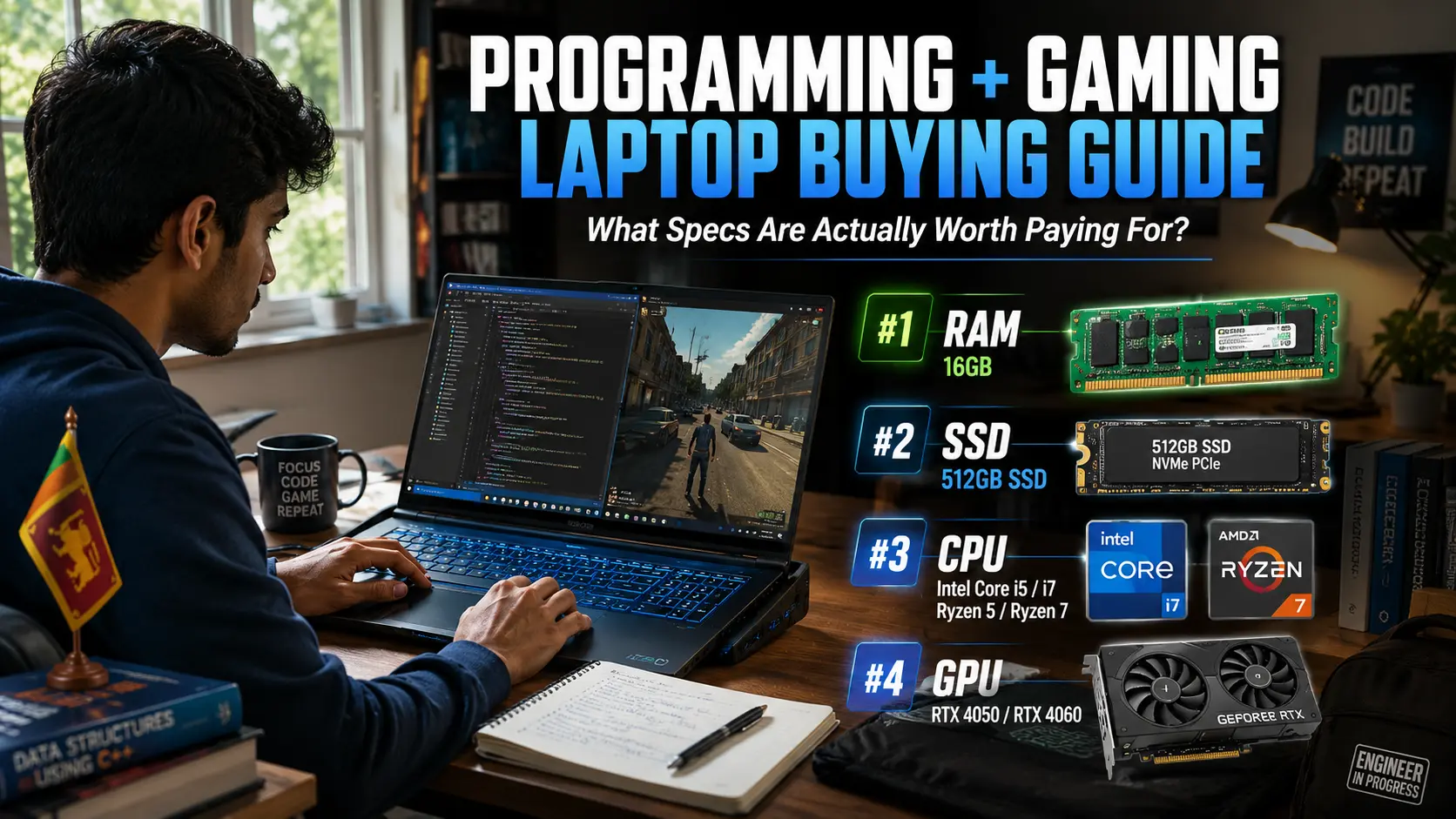
Coding (VS Code, Java, Python)
Freelance work (Canva, Photoshop basics)
Casual gaming
Running 10–20 tabs without lag
Truth: Many shops still push 10th gen i5 as “high performance” because they have leftover stock. These models are slow compared to newer Ryzen 5 or Intel 12th/13th gen.
i5 Price Range in Sri Lanka
165,000–215,000 LKR for proper 12th–14th gen models
Above 220,000 LKR if it’s an H-series model (better performance)
What you SHOULD buy
i5 12th gen, 13th gen, or 14th gen
At least 16GB RAM for coding or multitasking
SSD 512GB if possible
What you MUST avoid
i5 10th gen (slow and overpriced in Sri Lanka)
i5 laptops with 4GB RAM (shops still sell them)
i5 U-series for heavy work (coding/Canva)
If you’re a university student: i5 12th gen + 16GB RAM is the sweet spot. It lasts through your entire degree without feeling slow.
Intel i7, Powerful, But Often a Trap in Sri Lanka
Intel i7 sounds powerful, so many buyers think it’s automatically better. Unfortunately, this is the biggest trap in the Sri Lankan laptop market.
Shops often sell old i7 models from 2016–2019 as if they are current high-performance machines.
An old i7 can be slower than a new i5 or Ryzen 5.
What i7 is good for (when it’s new)
Video editing
3D design
Heavy multitasking
Coding + virtual machines
Graphic design work
Truth: If you see a “cheap i7” around 160K–200K, it’s almost always old stock or grey import. A new Intel i7 laptop usually starts around 240,000–300,000 LKR+.
What you SHOULD buy
i7 12th gen or higher
Preferably H-series for heavy work
Proper cooling (check vents!)
What you MUST avoid
i7 7th, 8th, 9th gen (very slow in 2025)
i7 laptops under 200K claiming “brand new”
i7 U-series for editing/gaming → weak performance
Any i7 without official warranty
If you’re a content creator: Only buy i7 if it’s NEW and runs cool. Otherwise, Ryzen 7 often gives better value.
Intel Summary for Sri Lanka (Simple & Practical)
Buy these:
i3 12th–13th gen → basic users
i5 12th–14th gen → students & professionals
i7 12th–14th gen → creators & heavy users
Avoid these:
All 10th gen Intel processors (i3, i5, i7)
Cheap i7 laptops (usually old or refurbished)
U-series for gaming/editing
Ryzen 3, Ryzen 5, Ryzen 7 Explained Simply (Sri Lanka–Focused Guide)
Over the last few years, many Sri Lankan buyers moved from Intel to Ryzen. Not because Ryzen is “cool,” but because it gives more performance for the money, handles heat better, and multitasks smoother, especially in our climate.
If you’ve ever opened 15 Chrome tabs and watched your laptop slow down, a Ryzen processor often fixes that problem because it has stronger multi-core performance.
Here’s the simple breakdown.
Ryzen 3 - Good for Basics, but Don’t Expect Heavy Work
Ryzen 3 is similar to Intel i3. It’s fine for everyday tasks like browsing, assignments, online classes, and YouTube.
Where it beats Intel i3 is how cool it runs. Sri Lanka is hot all year, and Ryzen 3 handles this better in thin laptops.
What Ryzen 3 is good for
School work
Watching movies
MS Office
Online learning
Light browsing with 5–6 tabs
Truth: Most Ryzen 3 laptops in Sri Lanka are the 5000 series, which is actually smoother than Intel’s older 10th gen i3 that’s still being sold everywhere.
Ryzen 3 Price Range (Sri Lanka, 2026)
135,000–160,000 LKR for new models
Cheaper options below 130K are usually refurbished or old 3000 series
What you SHOULD buy
Ryzen 3 5000 or 7000 series
Minimum 8GB RAM + SSD
What you MUST avoid
Ryzen 3 3000 series (sold cheaply, but too slow for 2025)
Laptops with HDD (still found in budget models online)
If you’re a student: Ryzen 3 is enough for O/L and A/L work. But if you’re starting university, consider Ryzen 5 instead, it lasts longer.

Ryzen 5 - The Best-Value Processor for Most Sri Lankans
If there’s one processor that fits 90% of Sri Lankan buyers, it’s Ryzen 5.
It’s fast, smooth with multitasking, handles heat well, and feels responsive even after years of use. This is why many Sri Lankan students and freelancers regret not buying Ryzen 5 earlier.
What Ryzen 5 is good for
University work
Coding
Freelance work (Photoshop, Canva, Illustrator)
Heavy multitasking
Running Zoom + multiple tabs smoothly
Basic video editing
Casual gaming
Truth: Most “my laptop is lagging” complaints come from people using older Intel i5 models. A Ryzen 5 laptop at the same price usually feels much faster, especially when running many apps at once.
Ryzen 5 Price Range (Sri Lanka)
160,000–210,000 LKR for 5000 or 7000 series
H-series models reach 225,000–260,000 LKR because they are powerful
What you SHOULD buy
Ryzen 5 5500U / 5600H / 7530U / 7730U
Minimum 16GB RAM for uni students and freelancers
SSD 512GB if possible
What you MUST avoid
Ryzen 5 3500U (old and weak, still sold as “brand new”)
Selling pages that don’t mention the generation (a huge red flag)
If you’re a university student: Ryzen 5 is the safest processor. It stays fast for the full degree, even for coding, design modules, and online lectures.
If you’re a freelancer: Ryzen 5 can handle Canva, Photoshop basics, and Illustrator smoothly. It’s the best “value for money” pick in Sri Lanka.
Ryzen 7 - For Heavy Work, But Check Cooling First
Ryzen 7 is a high-performance processor suited for creators, engineers, and gamers. It’s powerful, but in Sri Lanka the challenge is cooling.
Many thin laptops can’t handle Ryzen 7 heat well, especially when the room is already 30°C+. So don’t buy Ryzen 7 unless the laptop has proper ventilation.
What Ryzen 7 is good for
Content creation
Video editing
Blender / 3D work
Engineering and simulation software
Gaming (with a dedicated GPU)
Running virtual machines
Truth: Ryzen 7 often gives more real performance than Intel i7 at the same price. This is why creators in Sri Lanka prefer Ryzen 7, it’s cheaper and faster in multi-core tasks.
Ryzen 7 Price Range (Sri Lanka)
220,000–300,000 LKR depending on H-series or thin models
Laptops above 300K usually include dedicated graphics
What you SHOULD buy
Ryzen 7 5800H / 5700U / 7735HS / 7840HS
H-series for editing/gaming
Proper cooling (check vents and chassis thickness)
What you MUST avoid
Ryzen 7 in very thin laptops (heat + throttling)
Old Ryzen 7 3000 series
If you’re a creator or gamer: Ryzen 7 offers amazing performance, but pair it with good cooling and 16GB or 32GB RAM.
Ryzen Summary for Sri Lanka (Simple & Practical)
Buy these:
Ryzen 3 5000/7000 → basic users
Ryzen 5 5000/7000 → students, freelancers, office
Ryzen 7 5000/7000 → creators and gamers
Avoid these:
Ryzen 3 3000 series
Ryzen 5 3500U
Any Ryzen without clear generation info
If you want value for money: Choose Ryzen 5.
If you want high performance: Choose Ryzen 7, but make sure the laptop has proper cooling.
The Real Sri Lankan Laptop Market - Grey Imports, Scams & Pricing Traps
Most Sri Lankan buyers walk into a shop or check Ikman expecting the processor names to be straightforward. But the truth is, the Sri Lankan laptop market is full of old stock, grey imports, misleading labels, and overpriced models.
1. Old CPUs Sold as “Brand New” (The Most Common Trap)
Walk around Unity Plaza or browse Daraz for 10 minutes, and you’ll see:
i7 laptops for 160K
i5 laptops for 150K
Ryzen 5 laptops without generation details
These look like good deals, but most of them use processors from 2016–2020.
Truth: A 7th gen or 8th gen i7 is slower than a modern Ryzen 5 or Intel i5. But shops sell them at high prices because many buyers only look at the “i7” sticker.
Why sellers do this:
They bought old stock cheaply
Sri Lankan buyers trust “i7” blindly
Profit margins are 20–30% higher on older models
How to protect yourself:
Always check the generation number (e.g., 1135G7 = 11th gen)
If they refuse to show the model number → walk away
Avoid “brand new” laptops priced under 175K claiming i7
2. Grey Imports: Cheaper Price, But Higher Risk
Grey imports come without official Sri Lankan warranty. They may be cheaper, but the risks are high:
Fake SSDs swapped in
Used/refurbished bodies labelled as new
BIOS-locked motherboards
Lower battery health
Wrong country models with different parts
This is extremely common on Ikman and some Daraz sellers.
Truth: Many “brand new” laptops on Ikman are actually ex-office or refurbished units from abroad, cleaned and repackaged.
Signs of a grey import:
Price far below market
No Abans / Softlogic / Singer warranty
Box already opened
Serial number doesn’t match the box
“1-week personal warranty” (danger sign)
What to do:
If you’re not familiar with checking hardware, avoid grey imports entirely.
If you buy one, verify the CPU, SSD, RAM, and battery health immediately.
3. U-Series CPUs Marked as “Gaming” or “High Performance”
This is a classic Sri Lankan sales trick. A seller will show you a laptop with:
i7-1165G7
16GB RAM
Pretty RGB keyboard
And say: “Sir, this is a high-performance gaming laptop.”
Reality:
U-series = made for battery life, not power
Heats up quickly in Sri Lanka
Drops performance after a few minutes
Gaming is almost impossible except on low settings
Truth: If you want gaming or editing performance, look for H-series processors. Don’t fall for the i7 label alone.
4. USD/LKR Fluctuations Push Prices Up
Sri Lanka’s laptop prices change constantly with the dollar rate. At around 308 LKR per USD, importers adjust prices by 10–20% in a single month.
This leads to:
Random price jumps
Delayed stock for Ryzen models
H-series laptops being overpriced
Sellers pushing old Intel models because they already have them in stock
What this means for you:
Don’t rush into a purchase because of “limited-time offer” ads
Compare prices across Nanotek, Barclays, Winsoft, Laptop.lk, and Abans
If a deal looks too good to be true, it usually is
5. Fake or Misleading Processor Labels on Online Platforms
Search “i7 laptop” on Ikman, and you’ll see:
i7 4th gen
i7 6th gen
i7 HQ from 2016
i7 U-series from 2020
i7 refurbished ThinkPads
All sold at attractive prices.
Truth: The number “i7” alone means nothing. The generation and series matter more.
Dangerous listings include:
“i7 Gaming Laptop – 175,000 LKR” (always old stock)
“Brand New i7 – Japan Version” (refurbished office laptops)
“Ryzen 5 Fast Laptop – No Generation Mentioned” (red flag)
6. Heating Problems in the Sri Lankan Climate
Sri Lanka’s weather is hot and humid, and this directly affects laptop performance. Laptops with poor cooling, especially cheap thin models, slow down (“thermal throttle”) after 10–15 minutes of heavy use.
Common overheating processors here:
Intel i7 U-series
Intel i5 10th gen
Ryzen 7 in thin chassis
Older refurbished Intel H-series laptops
If you want real performance:
Look for laptops with dual fans
Choose H-series only if the laptop is thick enough to cool it
Avoid ultra-thin laptops for editing or gaming
7. Stock Shortages for Ryzen Models
Ryzen laptops sell out quickly in Sri Lanka because:
They offer great performance
Students prefer them
Shops keep low stock due to high demand
Import delays occur because Intel deals dominate retail channels
Truth: Sometimes you’ll see only Intel models in large retailers like Abans or Singer, while Ryzen models appear more often at Nanotek, Redline, or Laptop.lk.
Real Dangers in the Sri Lankan Market
Watch out for:
Cheap i7 laptops (usually old)
Grey imports without warranty
U-series sold as “high performance”
Hidden generation numbers
Overheating models in thin bodies
Sellers refusing to show system info
Used laptops sold as new
Safe rule: If the processor generation is not clearly shown, don’t buy it.

The Simplest Processor Recommendation for Sri Lankan Buyers
Choosing a laptop doesn’t need to be stressful. You only need to know which processor matches your real work. Here is the simplest guide you can follow without getting confused.
If You Need a Laptop for School or A/L Work
You only need a basic processor.
Choose:
Intel i3 (12th gen or newer)
Ryzen 3 (5000/7000 series)
Why: Perfect for Zoom, MS Office, online classes, and everyday tasks.
Avoid: Old i3 models and any laptop with HDD.
If You’re a University Student (Any Stream)
Most students multitask a lot, Zoom, Chrome tabs, PDFs, coding, LMS portals. So you need something smoother and longer-lasting.
Choose:
Ryzen 5
Intel i5 (12th gen or newer)
Why: These stay fast for years and don’t lag when you open many apps.
Avoid: i5 10th gen, i7 U-series, and laptops with only 8GB RAM.
If You’re a Freelancer
You need a laptop that feels responsive while switching between Canva, Chrome, Zoom, and Photoshop basics.
Choose:
Ryzen 5 (best value)
Ryzen 7 if your work involves editing
Intel i5 (12th–14th gen)
Why: Ryzen handles multitasking well and runs cooler in Sri Lanka.
Avoid: i3, old Intel i5, and thin laptops with Ryzen 7 (heat issues).
If You Want to Game Casually
Gaming needs more power. Stay away from U-series processors.
Choose:
Ryzen 5 H-series
Ryzen 7 H-series
Intel i5/i7 H-series
Why: H-series is built for performance and works better in Sri Lanka’s heat.
Avoid: Any U-series CPU labeled as “gaming.”
If You Do Video Editing or Creative Work
Editing, 3D, and rendering need strong processors.
Choose:
Ryzen 7 H-series
Intel i7 H-series (12th gen or newer)
Why: More cores = faster exports and smoother playback.
Avoid: U-series processors and very thin laptops without proper cooling.
If You Use It for Office Work or Business
You don’t need very high power, but you do need reliability.
Choose:
Intel i5
Ryzen 5
Why: Fast enough for Excel, accounts software, Zoom, and multitasking.
If You’re Still Unsure - Choos Ryzen 5 or Intel i5 (12th gen or newer). This is the safest processor for 90% of Sri Lankan buyers.
Quick Summary Table
If someone tries to sell you a “cheap i7,” it’s almost always an old model. Real performance comes from newer generations, not bigger numbers.
Related Posts