Why Laptop Batteries Die Fast in Sri Lanka – And How to Extend Life Safely
Learn why laptop batteries die fast in Sri Lanka and follow simple, safe steps to extend battery life despite heat, humidity, and power issues.
6 min read
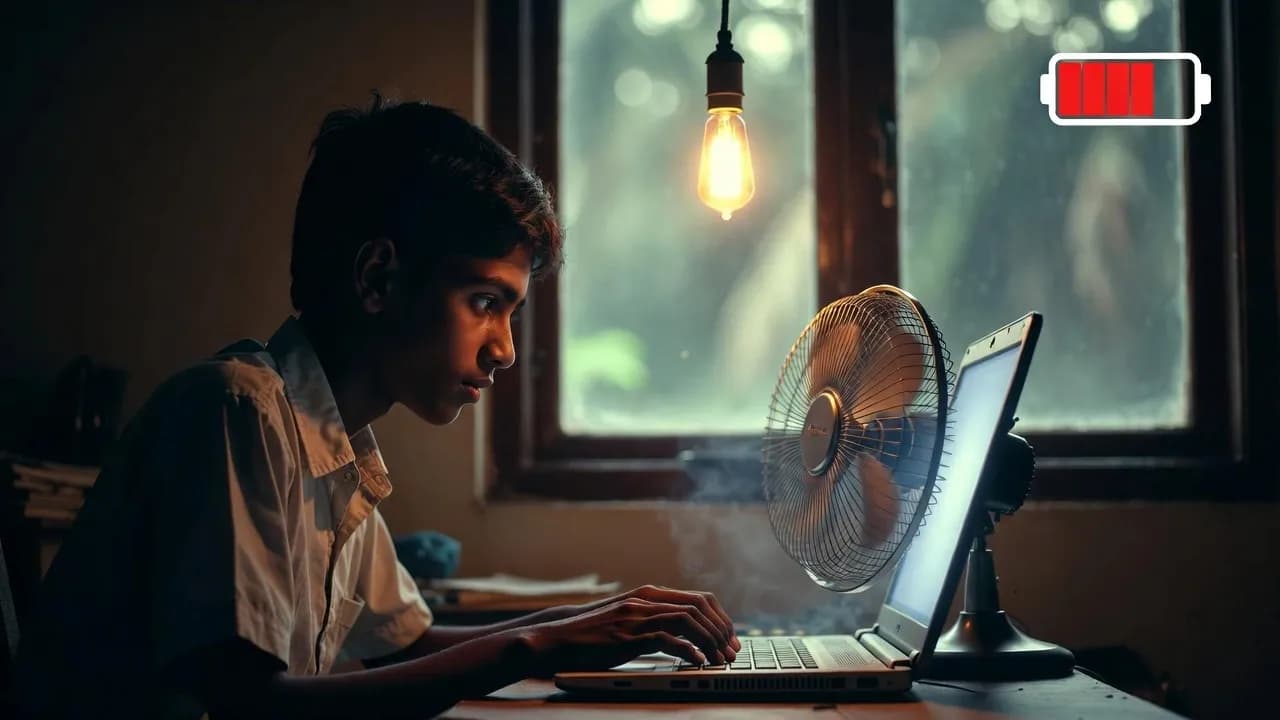
If your new laptop’s battery started dying faster within a year, you’re not alone. Sri Lanka’s heat, humidity, power cuts, and daily usage patterns make batteries wear out quicker than what you see in foreign reviews. The good news is that you can slow this down with a few simple habits. This guide explains why batteries degrade faster here and how you can protect yours without spending extra money.
1. Sri Lanka’s Heat and Humidity Damage Laptop Batteries Faster
Heat is the number one reason laptop batteries fail early in Sri Lanka.
Lithium-ion batteries work best around 20–25°C. But in Colombo, Galle, and most coastal towns, the average daytime temperature stays around 30–32°C. Humidity often crosses 80–90%, especially during monsoon months. This means your laptop is constantly sitting above the ideal temperature range, even if you’re only browsing YouTube.
Why this matters:
- Heat speeds up battery chemical breakdown
- Degradation rate almost doubles for every 10°C above room temperature
- Budget laptops sold in Sri Lanka often have weak cooling systems
- Using laptops on beds or sofas blocks the airflow and traps heat
Local truth: A laptop used in a hot bedroom in Sri Lanka ages faster than the same laptop used in an air-conditioned office in another country.
If you’ve noticed your battery health drop from 100% to 85% within the first year, heat is usually the reason.
What you can do: Use your laptop on a table, not on the bed. Keep a fan pointed towards the laptop during long sessions. If your room gets very warm, take short breaks to let the device cool.
2. Power Cuts, Brownouts, and Cheap UPS Units Add Hidden Stress
Even though power cuts are less frequent now, Sri Lankan homes still experience short outages, brownouts, and voltage drops, especially during storms or in rural areas.
Every time the power goes off, your laptop instantly switches to battery mode. When power returns, it switches back. These repeated charge cycles wear down the battery faster.
Many people also use cheap UPS units to protect their routers and laptops. But cheaper UPS models often:
- Don’t regulate voltage smoothly
- Pass through unstable power
- Damage the laptop’s charging circuitry
- Make the battery heat up while charging
The same problem happens with non-original chargers bought from local markets. They may look identical but usually can’t deliver stable voltage.
Local truth: Most battery swelling cases in Sri Lanka involve cheap chargers or unstable power sources.
Battery replacement costs in Sri Lanka usually range from Rs. 8,000–18,000, depending on your model.
What you can do: Use original chargers only. If you need a UPS, choose a model with AVR (Automatic Voltage Regulation) such as APC, Prolink, or Unitec.

3. Heavy Daily Usage Wears Batteries Faster Than You Think
Most Sri Lankans use laptops for long stretches:
- Zoom and Teams meetings
- University lectures
- Multiple Chrome tabs
- YouTube, Netflix, and streaming
- Coding and design work
These workloads keep the CPU active, raise internal temperature, and drain the battery faster. Even background apps you don’t notice like cloud sync or antivirus scans use small amounts of power all day.
Local truth: Chrome with 10–15 tabs open can drain the battery faster on a warm laptop.
If your laptop feels hot near the keyboard or touchpad, the battery is aging at a faster rate.
What you can do: Close unused tabs, lower brightness, and enable Battery Saver mode during long sessions or during power cuts.
4. Common Sri Lankan Habits That Accidentally Damage Batteries
Many of us follow habits that sound harmless but shorten battery life, especially in a tropical country.
- Leaving the laptop plugged in at 100% in a hot room: Modern laptops can handle being plugged in, but heat + full charge accelerates wear.
- Letting the laptop drain to 0% regularly: Deep discharges strain lithium-ion cells.
- Using knockoff chargers from local shops: They often overload the battery or deliver uneven current.
- Using laptops on beds or sofas: Blocked vents = trapped heat = faster battery aging.
- Charging during unstable grid hours: Even short surges or voltage drops stress the charging controller.
Local truth: Your habits matter more in Sri Lanka than in cooler countries.
What you can do: Try keeping your laptop between 20–80 percent during daily use. Avoid letting it drop below 10 percent unless necessary. And never charge with a market charger just because it’s cheaper.
5. How to Safely Extend Laptop Battery Life in Sri Lanka Simple Steps that Work
This is the part most Sri Lankan buyers need. These steps are tested, safe, and recommended by manufacturers.
1. Keep your charge between 20–80% when possible: Many modern laptops have a Battery Conservation Mode that stops charging at 80 percent.
2. Keep the laptop cool: Use a fan, raise the back of the laptop slightly, or use a cooling pad.
3. Use original chargers only: A Rs. 2,000 knockoff can damage a Rs. 18,000 battery.
4. During power cuts, avoid full drain: Use Battery Saver and close heavy apps.
5. Use a good UPS with AVR if you rely on one: Unstable voltage causes long-term damage.
6. Avoid storing your laptop fully charged: If you won’t use the device for a few weeks, keep it at 50–60 percent charge.
7. Check battery life every few months: Windows battery report or Lenovo and Dell utilities show battery wear clearly. Here is a guide from HP on maximizing battery life.
These steps can extend your battery’s usable life from 1–2 years to 3–5 years, even in Sri Lanka’s climate.
6. When You Should Replace Your Laptop Battery Sri Lankan Signs
You should consider replacing your battery if:
- The laptop dies under 20–30 percent
- Your runtime has dropped to under 2 hours
- The touchpad or keyboard is rising swollen battery
- The laptop gets hot even during light use
- The battery percentage jumps up and down
If the battery is swollen, stop using the laptop and get it replaced immediately. Swelling is dangerous and can damage the motherboard.
Average Sri Lankan replacement prices:
- Basic laptops: Rs. 8,000–12,000
- Mid-range: Rs. 12,000–16,000
- High-end: Rs. 15,000–18,000
Always ask for warranty-backed parts and avoid unbranded replacements.
Conclusion
Laptop batteries die faster in Sri Lanka not because the device is bad, but because our climate and power conditions are hard on electronics. The good news is that with the right habits cooling, proper charging, good UPS use, and original chargers you can protect your laptop and save money on repairs.
If you’re comparing models or want to understand which laptops offer better battery performance for Sri Lankan use, check out our full guide on Laptop Prices in Sri Lanka for trusted, up-to-date recommendations.
FAQs
1: How long should a laptop battery last in Sri Lanka’s climate?
In Sri Lanka, most laptop batteries last around 2 to 3 years with normal use. The high heat and humidity here make batteries age faster than in cooler countries. If you use your laptop in a warm room every day, keep it plugged in constantly, or face frequent power cuts, the lifespan may reduce to 1 to 2 years. With good habits like keeping the laptop cool, avoiding full drains, and using original chargers, many users can extend battery life to 3 to 5 years even in Sri Lanka.
2: Can AC rooms or fans actually improve laptop battery life?
Yes. Lower temperatures slow down the chemical wear of lithium-ion batteries. Using your laptop in an AC room or even with a simple table fan can reduce internal heat buildup and help the battery age more slowly. You do not need AC all the time. Even short cooling periods during heavy work or charging can noticeably reduce long-term battery damage. In Sri Lanka’s climate, temperature control is one of the easiest and most effective ways to protect your battery.
3: Is it safe to leave my laptop plugged in all day during work or study sessions?
Yes, modern laptops are designed to stay plugged in without harming the battery. The charger powers the laptop directly once the battery reaches full capacity. However, heat is still a major risk. If your laptop stays plugged in while sitting in a hot room or under heavy workloads, the extra temperature can damage the battery over time. The safest approach in Sri Lanka is to keep the laptop plugged in during heavy work but avoid charging in very hot conditions and enable battery protection modes when available.