SSD vs HDD in Sri Lanka: Why Most Slow Laptops Are Still Using the Wrong Drive
Why Sri Lankan laptops still use slow HDDs and how SSDs fix daily performance issues. Learn what to buy in 2026 to avoid bottlenecks.
7 min read
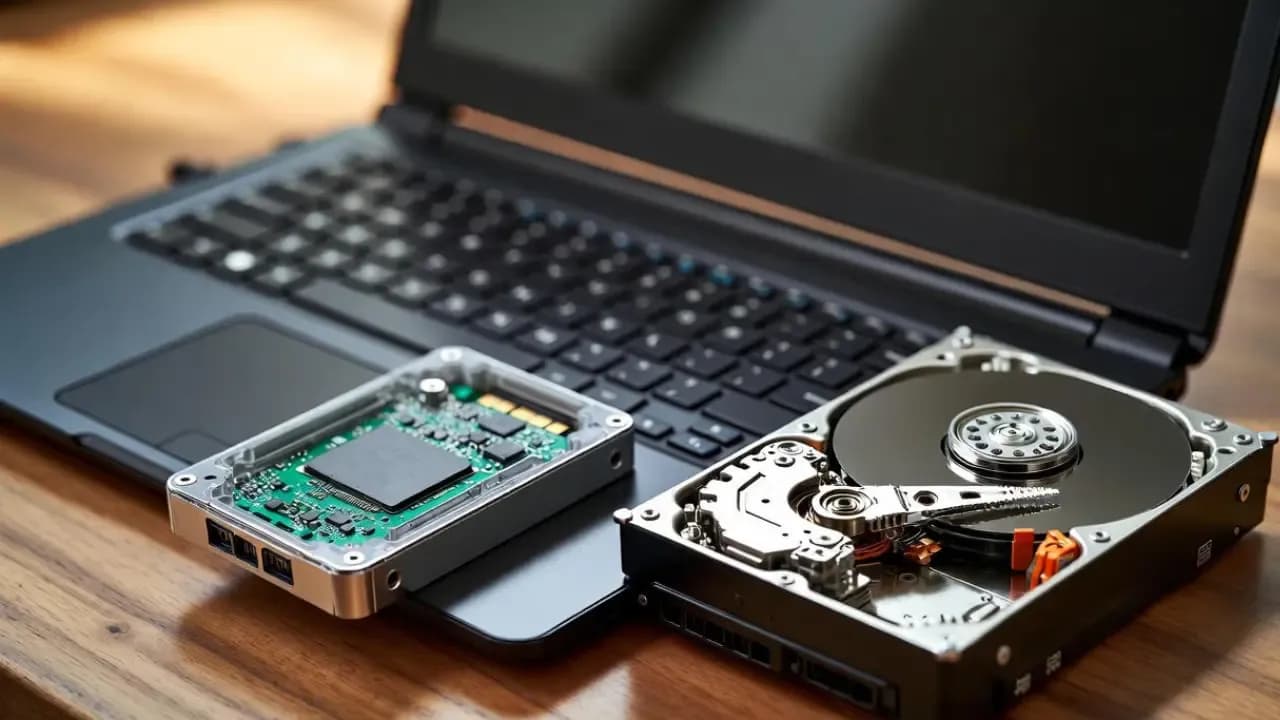
Most slow laptops in Sri Lanka still use HDDs because budget retailers import low-cost stock, buyers prioritize the cheapest sticker price, and grey-market distributors push outdated hardware to maintain margins. SSDs solve 80% of day-to-day speed problems, but slow adoption continues due to weak awareness, high import duties, and a low upgrade culture.
The Storage Problem Sri Lankan Buyers Keep Running Into
Most buyers in Sri Lanka assume a slow laptop means a weak processor or low RAM. In reality, the main bottleneck in budget models is the outdated mechanical hard drive still used as primary storage. This creates long boot times, freezes, and delays even on brand-new devices, causing buyers to feel cheated before they understand the real cause.
A large part of the Sri Lankan laptop market still runs on mechanical hard drives. These drives bottleneck even a Core i5 processor. Most laptops under LKR 80,000 ship with HDDs. This is the main reason new laptops feel slower than phones. Global markets have already shifted to SSDs as the default. Sri Lanka lags behind because budget imports dominate sales volume.
How Common HDD Laptops Still Are in Sri Lanka
Walk into any major retailer and the cheapest laptops almost always include HDDs, even in 2025. These models get pushed heavily because they fit popular price brackets under LKR 80,000. Without checking the storage type, many customers unknowingly choose slow devices. This pattern is strongest in Singer, Abans, Daraz, and grey-import listings.
Precise national data does not exist. Evidence comes from retailer catalogues, market pricing, and segment analysis.
Estimated HDD Presence by Price Segment (2025):
- Entry-Level (<LKR 200,000): 40–60% HDD: Cheapest models still bundle a 1TB HDD to hit marketing price points.
- Mid-Range (LKR 200,000–400,000): ~10–20% HDD: Mainly outdated stock or grey imports; most new units use SSD.
- High-End (>LKR 400,000): 0% HDD: No modern high-end laptop ships with mechanical storage.
HDD models survive mainly because they allow retailers to show “larger storage” and keep the entry-level sticker price artificially attractive, even though performance drops sharply.

Why Retailers Continue to Push HDD Laptops
Retailers continue selling HDD laptops because they meet low price points that drive high-volume sales. Most buyers focus on the cheapest option, and sellers know this. Instead of educating customers, retailers highlight big numbers like “1TB” to make old stock look attractive. This keeps outdated hardware circulating long after global markets have moved on.
Cheap stock from regional OEMs
Manufacturers in India and China export low-end batches configured with HDDs. Importers take these because margins are higher.
Price anchoring
Retail displays highlight “Core i3 / i5” and “1TB storage” instead of storage type. Most buyers compare capacity, not speed.
Inventory residue
During 2018–2022, Sri Lanka imported large volumes of HDD-based models due to COVID-era shortages. Many units remain in circulation.
Cost structure
Import duties climbed to 30%. Forex volatility adds another markup. SSD configurations cost 15–25% more, so retailers default to HDD to stay under the LKR 60,000–75,000 sweet spot.
Consumer Awareness Gaps That Keep HDD Alive
Most Sri Lankan buyers believe that processor and RAM determine all performance, so storage is ignored until the laptop starts freezing. HDDs continue selling because buyers compare capacity instead of speed. Without proper guidance at the point of sale, most customers unknowingly choose the slowest configuration available.
Most Sri Lankan buyers do not know that storage, not processor, decides day-to-day speed.
Common misconceptions:
- “1TB is better than 256GB.”
- “More RAM fixes slowness.”
- “HDD is fine for basic use.”
Urban buyers know the difference. Rural buyers remain price-driven. Only 20–30% explicitly ask for SSD during purchase. Sinhala and Tamil YouTube channels have started shifting awareness, but market inertia remains strong.

Why SSD Speeds Matter in Sri Lankan Conditions
Sri Lanka’s climate and usage patterns make HDD weaknesses worse. Heat, humidity, power cuts, and online-heavy workloads put constant pressure on mechanical drives. SSDs handle these conditions far better because they generate less heat, load apps instantly, and keep the laptop responsive even after years of use. This is why SSDs offer real-world benefits locally.
Real performance differences:
- Boot time: HDD 45–90s vs SSD 10–15s
- Chrome, Zoom, Excel launch: HDD 10–20s vs SSD 1–3s
- File transfers (1GB): HDD 20–40s vs SSD 2–5s
- Heat: HDDs run 10–20% hotter, fail faster in humidity
- Battery: SSD laptops last 20–30% longer
SSD is not a luxury. It is the baseline if you want stable performance during power cuts, online classes, and work tasks.
Local Pricing: What SSD Actually Costs in Sri Lanka
Sri Lankan buyers often assume SSDs are “too expensive,” but the actual price gap has narrowed sharply. The difference exists mainly because duties and forex inflate costs artificially. Once you compare real performance and lifespan, SSD laptops deliver better long-term value than HDD models, even if the upfront price is slightly higher.
SSD prices have dropped globally. Sri Lankan markups remain due to duties and forex.
2025 local pricing:
- 256GB SATA SSD: LKR 5,500–7,500
- 512GB SATA SSD: LKR 9,500–13,500
- 512GB NVMe SSD: LKR 11,500–17,500
HDD pricing:
- 1TB HDD: LKR 3,000–4,000
The difference at manufacturing level is small. Import structure inflates the gap. This is why an HDD laptop sitting at LKR 50,000 becomes LKR 60,000+ when upgraded to SSD.

Why Sri Lankan Users Rarely Upgrade
Most users avoid SSD upgrades because they are unsure about compatibility, afraid of losing data, or misled by sales staff. Outside Colombo, trustworthy technicians can be hard to find. This keeps many laptops slow for years, even though a single upgrade costing LKR 10,000–15,000 can transform an old device into a fast, usable machine.
Only 10–20% of users switch from HDD to SSD after purchase.
Reasons:
- Fear of voiding warranty
- Low digital literacy
- Confusion about compatibility
- Misinformation from sales staff
- Lack of trust in service centers outside Colombo
Upgrade services cost LKR 10,000–15,000 (SSD + labor). Once upgraded, users report 3–6× speed improvements even on 5–7-year-old machines.
Grey-Import and Second-Hand Market Distortions
Grey-import laptops dominate student and freelancer purchases, and almost all arrive with HDDs installed. Sellers focus on pushing units quickly rather than offering proper storage configurations. Many buyers get attracted to low prices and familiar brand names, unaware that the slow hard drive inside will bottleneck the device from day one.
Impacts:
- Used ThinkPads and Dell Latitudes ship with slow drives
- Sellers push HDD units due to higher availability and easier bulk purchases
- SSD-equipped used laptops sell for LKR 5,000–10,000 more and get picked faster
- Buyers wrongly assume business laptops are fast regardless of storage
Productivity and Energy Costs of Using HDD Laptops in Sri Lanka
Every slow boot, app freeze, or long loading screen adds up over months of use. HDD laptops waste time, electricity, and battery life, problems made worse during power cuts and remote work. On a national scale, widespread HDD usage contributes to energy waste and premature hardware disposal, increasing overall costs for both users and the country.
HDD reliance has national consequences.
User impact:
- Frequent freezes, app delays, and slow startups
- Lost time: 10–20 minutes per day
National impact:
- Power usage rises due to longer processing times
- Heat increases failure rate
- E-waste grows as HDD laptops are replaced early
Sri Lanka generates 200,000 tons of e-waste yearly. Longer-lasting SSD laptops reduce replacement frequency.
How Sri Lankan Buyers Can Avoid the Wrong Drive
Most storage mistakes can be avoided by checking the spec sheet carefully before buying. Retailers may highlight processor and RAM, but the storage type determines real speed. Always confirm whether the laptop uses an SSD or NVMe drive. A quick check saves years of slow performance and unnecessary frustration.
Direct checks before buying:
- Look for SSD or NVMe in specs
- Avoid “1TB HDD” on any laptop under LKR 100,000
- Prefer 256GB SSD over 1TB HDD
- Check Daraz listings for hidden HDD models mislabelled as “fast”
- Ask the retailer to state storage type in writing if unclear
Minimum safe spec for 2026:
- 8GB RAM + 256GB SSD + modern processor (i3 12th Gen or Ryzen 3 5000 series and above)

SellX.lk Practical Guidance for Sri Lankan Buyers
Sri Lankan buyers face unique constraints, tight budgets, unreliable sellers, and unclear specifications. These conditions make storage decisions even more important. Choosing an SSD, even a smaller one, delivers better results for online learning, office tasks, and daily use. The goal is to buy a machine that remains usable for years, not months.
- If your budget is under LKR 120,000: Buy an SSD laptop even if capacity is only 256GB. Do not accept HDD.
- If your laptop is older than 3 years: Upgrade to a 256GB or 512GB SSD. The speed gain is higher than upgrading RAM.
- If you're choosing between new HDD vs used SSD laptop: Choose the SSD laptop. The performance difference is significant.
- If you depend on Zoom/Teams/online classes: SSD is mandatory. HDD will cause persistent lag.
HDD laptops stay common in Sri Lanka because budget imports, grey-market stock, and price-driven buyers prioritize large storage over speed. SSD laptops cost slightly more but eliminate almost all performance problems faced by students, workers, and freelancers. Any laptop purchased in 2026 should include an SSD, or be upgraded immediately.